
Licensed General Contractor · Licensed New Home Builder in MD · 20+ Years DC, Maryland & Virginia Construction Experience
Every lot has invisible fences. Not the kind that keep dogs in — the kind that keep your house away from the edges.
These are setbacks: the minimum distances your home must maintain from your property lines. They're defined by your local zoning code, they are absolutely non-negotiable without a formal variance, and violating them — even by a few inches — will get your permit denied, your project stopped, or, in the worst cases, your newly framed wall demolished.
Setbacks sound like a simple concept. They are not. After 20+ years of building in the DC suburbs, I can tell you that setback calculations cause more design revisions, permit delays, and "wait — we can't do THAT?" moments than almost any other zoning requirement. I've watched architects redesign entire floor plans because they misunderstood the combined side setback rule. I've watched homeowners discover that their 75-foot-wide lot only gives them 50 feet of buildable width. I've watched a builder stake out a foundation that encroached 14 inches into a setback, and I've watched what it cost to fix.
Here's everything you need to know. In plain English. With real math. And actual consequences.
Quick Answer: Setback requirements determine how close your home, addition, garage, or ADU can be to the property lines. In the DMV, setbacks can affect the home's width, depth, placement, and overall buildable envelope. Before designing a custom home, homeowners should confirm front, side, and rear setbacks along with zoning, lot coverage, utility access, and permit requirements.
What Setbacks Actually Are
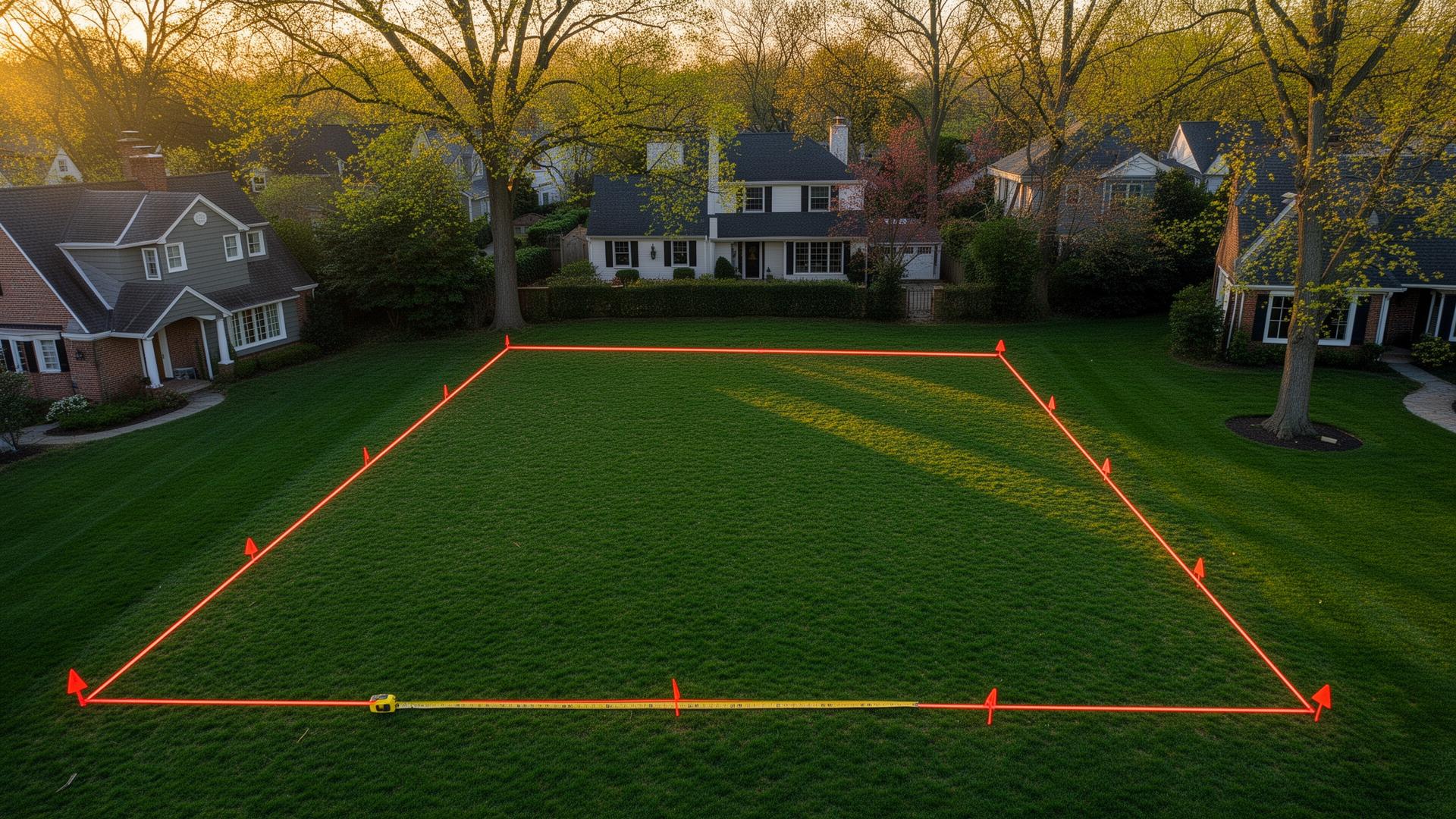
A setback is the minimum distance between your building and a property line. Period. Every residential zone specifies four of them:
- Front setback: Distance from the front property line (the street side)
- Rear setback: Distance from the rear property line
- Side setbacks: Distance from each side property line
These setbacks create a "buildable envelope" within your lot — think of it as a picture frame inside your property boundaries. The setbacks are the mat. The open center is where your house goes. Everything above grade must fit inside the frame. No exceptions. No "just a little bit over." Inside the frame, or start over.
Why Do Setbacks Exist?
Nobody created setbacks to frustrate you personally, though I understand why it might feel that way. They serve real purposes:
- Fire separation. Adequate distance between buildings slows fire spread. Your neighbor's house fire is less likely to become your house fire if there's 16-20 feet of air between the structures.
- Light and air. Ensures every home has access to natural light and ventilation. Without setbacks, you'd end up with the back of your neighbor's house 4 feet from your kitchen window. Nobody wants that.
- Privacy. Creates breathing room between properties. The setback is the reason your bedroom window doesn't look directly into your neighbor's bedroom window.
- Emergency access. Firefighters need to get around your house. Equipment needs to reach all sides. Setbacks ensure that's physically possible.
- Neighborhood character. Consistent building lines along streets create visual order. Setbacks are why houses in a neighborhood "line up" instead of looking like someone scattered them randomly from a helicopter.
You may not appreciate these reasons when the setback is preventing you from building the kitchen extension you designed on a napkin. But they're the legal and practical foundation for the rules, and understanding the "why" helps when you're trying to work creatively within the "what."
The Numbers: Montgomery County Setbacks by Zone
Here's the reference table you'll come back to repeatedly:
| Zone | Front | Each Side (min) | Both Sides | Rear |
|---|---|---|---|---|
| R-60 | 25 ft | 8 ft | 18 ft | 20 ft |
| R-90 | 30 ft | 10 ft | 25 ft | 30 ft |
| R-200 | 40 ft | 12 ft | 30 ft | 35 ft |
| RE-1 | 50 ft | 17 ft | 35 ft | 35 ft |
| RE-2 | 50 ft | 20 ft | — | 35 ft |
That table looks straightforward. It's hiding three traps. Let me show you.
The Three Setback Traps
Trap 1: The Combined Side Setback Rule
This is the single most commonly misunderstood setback rule in Montgomery County. It's caused more redesigns, more architect frustration, and more "how did nobody catch this?" permit rejections than I can count in 20 years.
In R-60 zoning, the requirement is:
- 8 feet minimum on each side
- 18 feet combined total of both sides
These are two separate tests. You must pass BOTH. Most people only see the first one.
Here's what goes wrong. An architect designs a home with 8 feet on each side. That's 8 + 8 = 16 feet combined. Violation. The combined minimum is 18 feet. The home needs to shift 2 feet to one side — making one setback 10 feet and the other 8 feet (10 + 8 = 18). ✓
"Two feet" sounds minor. It's not. Two feet changes the driveway alignment, which changes the garage position, which changes the first-floor layout, which triggers a stormwater management plan revision because the impervious surface moved. One number. Cascade of consequences. Weeks of delay.
The safe play: Design to 8 feet on the narrow side and 10 feet on the other in R-60. In R-90, design to 10 feet and 15 feet (totaling 25). Build in the margin from the start. Your architect will thank you. Your permit reviewer will thank you. Your schedule will thank you.
On a 60-foot-wide R-60 lot:
- 8' (left) + 10' (right) = 18' combined ✓ → 42 feet of buildable width
- 8' (left) + 8' (right) = 16' combined ✗ → Permit denied
On a 70-foot-wide R-90 lot:
- 10' (left) + 15' (right) = 25' combined ✓ → 45 feet of buildable width
- 10' (left) + 10' (right) = 20' combined ✗ → Permit denied
The combined rule is in the zoning code. It's not hidden. It's just ignored by people who stop reading after the minimum-per-side number. Don't be those people.
Trap 2: Front Setback Averaging
In many Montgomery County zones, the front setback isn't the fixed number from the table — it's the average of the front setbacks of existing homes on the same side of your street within a defined distance.
This can work dramatically for or against you:
In your favor: Your block was built in the 1940s. Every existing home sits 15 feet from the street (built under older, less restrictive codes). The "average" front setback is 15 feet — giving you 10 extra feet of buildable depth compared to the standard 25-foot R-60 setback. On a 100-foot-deep lot, that's 10 extra feet × 50 feet of width = 500 sf of additional buildable envelope. That's meaningful.
Against you: The same block was partially redeveloped. Three new homes were built with 35-foot setbacks. The average might now be 28 or 30 feet — costing you 3-5 feet of depth compared to the standard 25 feet. Your architect designed to 25 feet, the permit reviewer calculated the average at 29 feet, and now the entire floor plan is 4 feet too deep.
The fix: Confirm the applicable front setback with Montgomery County DPS before your architect finalizes the design. Not after. The calculation uses specific properties within a defined distance, and the result may differ from the number in the zoning table. Getting this number wrong costs $5,000–$15,000 in design revisions and 4–8 weeks of delay.
Trap 3: Setbacks Interact With Coverage (And Coverage Usually Wins)
Setbacks define where you CAN build. Building coverage defines how MUCH you can build. They're separate constraints, and you must satisfy both simultaneously. Here's where they interact:
Example 1: Generous lot — 75' × 120' in R-60 (9,000 sf)
Setback math:
- Front: 25' and Rear: 20' → 120 - 25 - 20 = 75 feet of depth
- Sides: 8' + 10' = 18' → 75 - 18 = 57 feet of width
- Buildable envelope: 57' × 75' = 4,275 sf
Coverage math:
- 9,000 sf × 35% = 3,150 sf maximum footprint
The winner: Coverage, at 3,150 sf. The envelope is 4,275 sf, but you can only use 3,150 sf of it. You have plenty of room to position the house — you just can't spread it across the entire envelope. This is the typical scenario on well-sized R-60 lots. Coverage controls; setbacks provide positioning flexibility.
Example 2: Narrow lot — 50' × 130' in R-60 (6,500 sf)
Setback math:
- Front and rear: 130 - 25 - 20 = 85 feet of depth. Generous.
- Sides: 50 - 8 - 10 = 32 feet of width. Ouch.
- Buildable envelope: 32' × 85' = 2,720 sf
Coverage math:
- 6,500 × 35% = 2,275 sf
Both constraints are biting. You're limited to 2,275 sf by coverage AND only 32 feet wide by setbacks. A 32-foot-wide custom home is... let's call it architecturally challenging. You're going long and narrow, going three stories, or going back to Zillow to find a wider lot. This is the scenario that kills deals — and it's discoverable in about 90 seconds if you check the numbers before writing the offer.
LotIQ runs both calculations — setback envelope AND coverage limits — for any Montgomery County address. Enter an address, get the buildable area in seconds. Built specifically so you don't end up with a 32-foot surprise after you've already closed on the lot.
Example 3: Premium R-90 lot — 90' × 150' (13,500 sf)
Setbacks: 150 - 30 - 30 = 90' depth. 90 - 10 - 15 = 65' width.
Envelope: 65' × 90' = 5,850 sf. Coverage: 13,500 × 25% = 3,375 sf.
Coverage controls again. You have a gorgeous 5,850 sf envelope but can only use 3,375 sf of footprint. With a full basement and two stories, that's roughly a 9,000 sf home. Substantial. But if you're picturing a 5,000 sf footprint spread-out ranch, this lot says no — even though it's over a third of an acre.
For the full breakdown of how coverage and setbacks interact to determine maximum home size, see our guide to calculating how big of a house you can build.
What Lot Width Means for Your Home
This is the part most people miss entirely. Lot width — not lot area, not lot depth — is usually the binding constraint in the DC suburbs. Here's why:
After subtracting side setbacks, your remaining buildable width determines how wide your home can be. And width matters more than you think:
| Lot Width | Zone | Side Setbacks | Buildable Width | What It Means |
|---|---|---|---|---|
| 50 ft | R-60 | 8 + 10 = 18 | 32 ft | Very tight. Long narrow home or 3 stories. |
| 60 ft | R-60 | 8 + 10 = 18 | 42 ft | Workable. Efficient design required. |
| 70 ft | R-60 | 8 + 10 = 18 | 52 ft | Comfortable. Most floor plans fit. |
| 80 ft | R-60 | 8 + 10 = 18 | 62 ft | Generous. Wide home with side yard. |
| 70 ft | R-90 | 10 + 15 = 25 | 45 ft | Moderate. R-90 eats more width. |
| 80 ft | R-90 | 10 + 15 = 25 | 55 ft | Good. Standard custom home fits well. |
| 90 ft | R-90 | 10 + 15 = 25 | 65 ft | Generous. Design freedom. |
That 50-foot-wide R-60 lot? After setbacks, you're building a 32-foot-wide home. That's narrower than most double-wide trailers. (I'm not being sarcastic. I measured.) A 70-foot-wide lot in the same zone gives you 52 feet — a completely different design universe.
The rule of thumb: In R-60, you want at least 65 feet of lot width for a comfortable custom home design. In R-90, you want at least 75 feet. Below those numbers, you're making compromises. Above them, you have options.
Can You Build Closer Than the Setback?
Short answer: generally no. Longer answer: there are a few narrow exceptions.
Variances
You can apply to the Montgomery County Board of Appeals for a setback variance. The process takes 3–6 months, costs $15,000–$30,000 in legal and consultant fees, and requires demonstrating "practical difficulty or unreasonable hardship."
"I want a bigger house" is not hardship. "The lot has an unusual shape that makes the standard setback unreasonable" might qualify. "The existing nonconforming house was closer to the line and I'm actually improving the situation" is a decent argument.
My advice: don't design to a variance. Design to the existing setbacks and treat any approved variance as a bonus. The odds are not in your favor, the timeline is not in your favor, and the cost of the application is real regardless of outcome.
Projections and Exceptions
Some building elements are allowed to project into setback areas:
- Roof eaves: Typically up to 2 feet into side setbacks. Your overhang can cross the line that your walls cannot.
- Bay windows: May project 2–3 feet into setbacks if they don't extend to the ground and meet specific criteria.
- Uncovered stoops and steps: May project into front setbacks. You can have front steps that extend past the setback line — just not a covered porch.
- Mechanical equipment: Air conditioners and heat pumps may be placed in setback areas with sound attenuation requirements. Your HVAC condenser is probably the only thing that's legally allowed to annoy your neighbor from within the setback zone.
These exceptions don't change the buildable envelope for the main structure. But they provide useful design flexibility at the margins — especially the eave projection, which allows proper roof overhangs without pulling the house further from the lot line.
Below Grade
This is the interesting one. Setbacks apply to above-grade construction. Foundation walls and below-grade structures may be permitted closer to property lines in certain circumstances — particularly relevant for walkout basements on sloped lots where the below-grade portion on the uphill side might extend closer to the property line than the above-grade walls.
This doesn't mean you can build your basement wherever you want. It means the rules have nuance, and a conversation with your architect and DPS about your specific site conditions may reveal options that the basic setback table doesn't suggest.
The 3-Minute Lot Evaluation (Using Setbacks)
Before you hire an architect at $80,000+, before you engage a builder who's already calculating markup, and before your mother-in-law starts forwarding you Houzz photos, you can evaluate any lot's potential yourself in about three minutes:
- Step 1: Find the zoning. MC Atlas (atlas.mcgov.org), SDAT, or LotIQ.
- Step 2: Get the lot dimensions. Tax record, online GIS, or LotIQ.
- Step 3: Apply the setbacks for your zone. Subtract front and rear from lot depth. Subtract combined side setbacks from lot width.
- Step 4: Calculate the buildable envelope. Width × depth.
- Step 5: Check building coverage. Lot area × coverage percentage for your zone.
- Step 6: The smaller of Step 4 and Step 5 is your real constraint.
If the result supports the home you want, keep going. If it doesn't, look at different lots rather than banking on a variance that may never come.
Or skip the pencil-and-paper approach entirely: LotIQ does all of this automatically for any Montgomery County address. Thirty seconds. No math. No zoning map. No existential crisis about whether 32 feet is wide enough for a kitchen island. (It's not.)
What Setbacks Mean for Your Design
Wide Lots = Horizontal Freedom
On a 90-foot-wide lot with 10/15 side setbacks, you have 65 feet of buildable width. That's enough for a wide, horizontally oriented home with generous room sizes, abundant natural light on three sides, and a floor plan that doesn't require hallways longer than bowling lanes. This is where architects get creative in the good way.
Narrow Lots = Vertical Strategy
On a 55-foot-wide lot with 8/10 side setbacks, you have 37 feet. Every inch of width is precious. The smart play: go vertical. Finish the basement for family room and recreation space. Build two full stories above grade. Stack wet rooms (kitchens above laundry rooms, bathrooms above bathrooms) to minimize plumbing runs. And accept that your hallways will be functional, not spacious.
Deep Lots = Front-to-Back Flexibility
A 150-foot-deep lot with 30/30 setbacks gives 90 feet of depth — enough for a deep home, a generous rear yard, AND potentially a detached structure in the back (with its own setback requirements). These lots accommodate the "long and elegant" design approach that works particularly well for formal entertaining.
Shallow Lots = Tight Margins
A 100-foot-deep lot with 30/30 setbacks gives only 40 feet of depth. Combined with building coverage limits, this severely constrains home size. If you need more than about 2,000 sf of footprint on a shallow lot, the numbers may not work. Better to discover this during your 3-minute evaluation than during your $15,000 permit review.
Not Sure How Setbacks Affect Your Lot?
Iron Gate can help review zoning, setbacks, lot coverage, utilities, and buildable area before you spend money on design.
Your Next Steps
Evaluating a lot? Run it through LotIQ for instant setback calculations, buildable area, coverage limits, and the resulting buildable envelope. Free. Thirty seconds. Saves you from math.
Already own a lot and ready to design? Start with the setback-defined buildable envelope, then work with an architect who can maximize your home within those boundaries. For expert guidance from lot evaluation through construction, explore Iron Gate's owner-builder consulting program.
Want the full picture? Read our companion guides on lot buildability, maximum home size calculations, and 2026 construction costs in the DC suburbs for the complete framework.
Frequently Asked Questions
How close can I build to my property line in Montgomery County?
Depends on your zoning. R-60: 8 feet minimum from side property lines (18 feet combined both sides), 25 feet from front, 20 feet from rear. R-90: 10 feet/25 feet combined sides, 30 feet front, 30 feet rear. R-200: 12 feet/30 feet combined, 40 feet front, 35 feet rear. LotIQ shows the specific setback requirements for any Montgomery County address.
Can I build a fence on my property line?
Fences play by different rules than buildings. In Montgomery County, residential fences up to 6.5 feet in rear and side yards are generally permitted on or near property lines. Front yard fences have height restrictions — typically 4 feet. These rules apply to fences, not walls. A retaining wall that also functions as a fence may be subject to different requirements. Check with DPS before your contractor pours footings.
Do setbacks apply to decks and patios?
Ground-level patios (no elevation above grade) generally don't require setbacks. Raised decks above a certain height get treated as structures and must comply. Covered porches and anything enclosed — definitely subject to setbacks. The distinction matters: that 400 sf patio you want in the setback area might be fine, but the covered outdoor kitchen you envision might not be. The word "covered" changes everything.
What happens if I build within a setback area?
Nothing good. During construction: stop-work order, plans revision, potential demolition of the encroaching work. After construction: code enforcement action, potential requirement to remove the violation. Cost to fix: $20,000–$100,000+ depending on what needs to come down and what needs to be rebuilt. An inch over the line is treated the same as a foot over the line. The setback is a line, not a suggestion.
What is the combined side setback rule?
The most misunderstood rule in Montgomery County residential zoning. Your side setbacks must meet BOTH a minimum per side AND a combined minimum for both sides together. In R-60: 8 feet minimum each side PLUS 18 feet combined. That means 8 + 10, or 9 + 9 — but NOT 8 + 8 (which totals only 16). In R-90: 10 feet each side PLUS 25 feet combined. Architects who design to the per-side minimum without checking the combined minimum discover the error during permit review. At $150/hour in revision fees.
Vipin Motwani
Founder, Iron Gate Development